

You can have a great desk, a comfortable chair, and an office layout designed for productivity — but if you work from home and have frequent virtual meetings and your video call background is distracting or awkward, it can undermine your whole home office layout. The good news? Creating a professional, polished home office background doesn’t require a remodel or expensive upgrades.
With a few thoughtful adjustments, you can look much more put-together on Zoom, Microsoft Teams, Google Meet and other video platforms, all without sacrificing comfort or personality. The 7 practical tips below will help you create a background that works for you, not against you. Let’s get started.

Step 1: Choose the Right Wall (If You Have the Option)
If the layout of the room and your office furniture allow for it, position your desk so that the camera faces a clean, simple wall rather than the middle of the room.
Ideally, background walls should have:
- Minimal visual clutter
- No doors or heavy foot traffic behind you
- Neutral colors (white, light gray, soft beige)
If your home office doubles as a guest room or other multi-use space, don’t worry — perfection isn’t required. The primary goal here is to simply minimize distractions, not eliminate every sign of a real life, lived-in space.
Step 2: Keep the Background Simple (But Not Empty)
A completely blank wall can feel sterile, but a cluttered one can feel chaotic. The sweet spot is intentional, designed simplicity.
Great background element ideas include:
- A single piece of thoughtful artwork
- A plant or two for warmth and depth
- Floating shelves with a few neatly spaced items
Avoid overcrowding shelves or filling the frame with too many objects. If your eye keeps bouncing around the screen, it’s probably too much.
Step 3: Pay Attention to Depth and Distance
If possible, try to sit a few feet away from the wall behind you rather than right up against it. This creates more visual depth and helps separate you from the background on camera.
Here’s why this matters:
- It helps you appear more professional
- Background decor elements won’t feel “stuck” to your head
- Lighting tends to work better with some space behind you, helping create the perception of even more depth
Even a small amount of distance can make a noticeable difference.
Step 4: Lighting Matters More Than the Background Itself
Speaking of lighting, a great background won’t help much if your face is poorly lit. Having multiple and various light sources illuminating you from multiple directions can reduce shadows and silhouettes.
For the best lighting:
- Avoid strong light directly behind you
- Use a desk lamp or soft light source in front of you
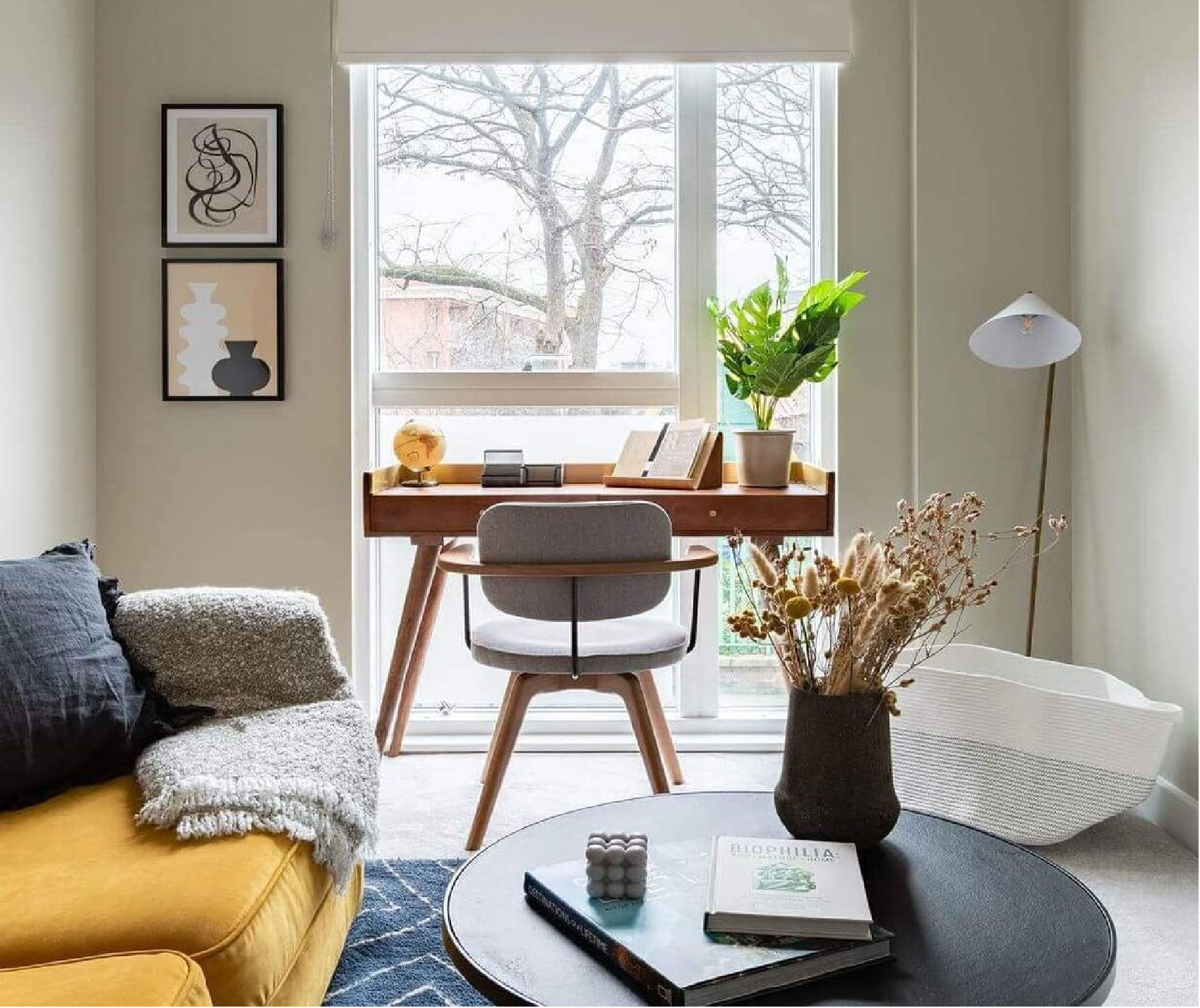
- Face a window when possible (natural light is almost always best)
Overhead lighting alone can create shadows, while backlighting can turn you into a silhouette. Your face should be the brightest, clearest part of the frame.
Step 5: Think About What Your Background Communicates
Your video background quietly tells people something about you — even without saying a word.
Be sure to ask yourself:
- Does this background make my space feel calm and organized?
- Is it “on brand” for me? In other words, does it reflect how I want to be perceived?
- Would I be comfortable if a client, coworker, or manager noticed every single detail?
Having a curated background doesn’t mean hiding your personality. It simply means being intentional about what you want to show to the world.
Step 6: Avoid These Common Background Mistakes

There are a handful of issues that tend to show up over and over again on video calls:
- Glitchy virtual backgrounds
- Messy beds, open closets, or piles of laundry
- Busy patterns or loud, high-contrast wallpaper that can cause distraction
- Bright lights or windows directly behind the user washing out the image
Virtual backgrounds can work if they are done well, and can be a convenient way to project a more professional image in a pinch. But if a thoughtfully arranged background is an option for you, it typically looks more natural and professional.
However, if you do decide that a virtual background is right for your home office or studio and you need a few pointers, don’t miss our easy setup guide for virtual backgrounds here.
Step 7: Do a Test Call Before It Matters
That brings us to one final and important point. Any time you update your background, or change up the furniture or decor in your home office, be sure to do a “test call” afterward.
- Turn on your camera
- Sit in your usual position
- Look at the full frame — not just your face
- Make any necessary tweaks to layout, lighting, or camera angles
Even small changes, like moving a lamp or shifting your chair just a few inches, can make a big improvement in the aesthetics of your virtual frame.
How This Fits Into Your Overall Home Office Setup
Your video call background is just one tiny part of a functional, modern home office. Desk placement, lighting, and furniture choices all play a role in how focused, comfortable and confident you feel during your workday.
If you haven’t read it already, this guide pairs well with our article on how to set up a functional, modern home office, which covers the bigger-picture decisions that support productivity and comfort.
Remember, Professional Doesn’t Have to Mean Perfect!
The perfect Zoom background isn’t about looking staged, sanitized or sterile — it’s about creating a space that feels calm, intentional, on brand for you, and appropriate for your work.
With a little planning, your home office can support both your productivity and your on-camera presence. And if you ever want help thinking through layout, furniture placement, or lighting options, having a second set of experienced eyes can make the process much easier.
Speaking of which, if you’ve got more questions about your own home office needs and setup, feel free to ask the helpful furniture and decor experts here at Woodstock Furniture & Mattress Outlet. Give us a call, visit us at one of our North Georgia and Atlanta area furniture stores, or drop us a line on our convenient live webchat. Hope to hear from you soon!